# ArdaForm deployment guide — from a folder to a device
The HTML version with the portal screens beside each step is https://ardaform.net/deployment.
Platform summary for assistants: https://ardaform.net/llms.txt. Everything below runs on
real devices as of 2026-10-22; the current ArdaPlayer release is v1.2.3, and a feature that
needs a particular release says so. Anyone can create a portal account at
https://portal.ardaform.net/register — the free plan needs no card.
**Basic HTML and JavaScript is enough.** If you can write basic HTML and JavaScript, you can
build an app and run it on one device — or hundreds. Every step below is a file you write, a
button in the portal, or a card you flash; the device does the rest. Paragraphs marked
*Under the hood* explain what happens behind the scenes and can be skipped.
The example is a gym's member check-in kiosk: tenant **Northgate Fitness**, project
**Check-in**, a Raspberry Pi in a frame on the reception desk.
## Vocabulary
| Term | Meaning |
|---|---|
| Tenant | Your organisation in the portal (portal.ardaform.net). Owns projects, people, API keys. |
| Project | One application and everything around it: branches, datasets, files, settings, devices, install codes, webhooks. Tabs: Code · Connectors · Data (Datasets, Files) · Devices (Devices, Profiles, Adopt) · Install codes · Webhooks · API keys · People · Marketplace; Settings is the gear icon. |
| Branch | A deployable line of the project (`main`, `staging`). One git ref via a Connector; an apply policy. A device follows exactly one branch. |
| Device | One installation of ArdaPlayer: an identity it generated itself, a branch, a data partition. |
| Partition | Which share of the data a device gets — one site's members, one till's prices, one room's bookings (the slice of a partitioned dataset it receives). |
| Datasets / files / settings | What ArdaForm keeps up to date on each device: records (a price list, a member list), pictures and documents, the values an operator types. |
You need: a workstation (Linux, macOS or Windows), a GitHub account, a portal account
(https://portal.ardaform.net/register — the free plan needs no card).
Steps 1–2 need nothing else. Step 4 needs a Raspberry Pi 3 or 4 with a card, or an
x86-64 machine with a USB stick.
## 1. Write the application
An app is a folder. No build step on the platform's side, nothing to install in the page.
```
checkin/
├── app/
│ ├── index.html ← the app's root; the player serves app/ and only app/
│ ├── app.js
│ ├── style.css
│ └── manifest.json ← optional: datasets, settings, files needed at boot
├── arda.dev.json ← developer settings, BESIDE app/, never packed
├── gui/ ← optional: the app's own settings page, for the portal (below)
├── seed/
│ └── members.json ← optional: local records for developing without a server
├── data/ storage/ state/ ← the player's own; created on first run; keep out of git
└── .gitignore
```
`window.Arda` is in the page before the first line runs — no script tag, no import.
The same object exists in developer mode, on a kiosk and headless.
```html
Northgate · check-in
Scan your member code
```
```js
// app/app.js
// Settings typed in the portal: a frozen object, readable on line one.
// A setting nobody set is ABSENT — use ??, never || (a bool set to false would be lost).
document.getElementById('kiosk').textContent = Arda.config.kiosk_name ?? 'Reception'
Arda.device().then(function (d) {
// d.phase: local | unregistered | initialising | ready
// d.can: {screen, keyboard, mouse, touch, audioOut, audioIn}
document.getElementById('state').textContent = d.phase
document.body.classList.toggle('touch', d.can.touch && !d.can.keyboard)
})
Arda.on('device', function () { location.reload() })
// A synced dataset. Asking is subscribing; the first answer is usually {} — listen for 'sync'.
var members = {}
Arda.db.dataset('members').then(function (m) { members = m })
Arda.on('sync', function (name) {
if (name === 'members') Arda.db.dataset(name).then(function (m) { members = m })
})
// Barcode / QR / NFC readers are keyboard wedges; the player says which reader it came from.
Arda.on('barcode', function (s) { checkIn(s.text) }) // s = {kind, text, device, node}
// On-screen keyboard (no keyboard on a kiosk). Resolves the string, or null on cancel.
document.getElementById('type').onclick = function () {
Arda.keyboard({ layout: 'numeric', title: 'Membership number' }).then(function (n) {
if (n !== null) checkIn(n)
})
}
function checkIn(number) {
var m = members[number]
if (!m) return say('Not a member — see the desk')
// Durable outbox on disk; delivered when the line is up, at least once. Max 128 KB per record.
Arda.db.push('visits', { member: m.id, at: Date.now() }).then(function (r) {
say('Welcome back, ' + m.name) // r.seq = outbox sequence number
})
}
// Updates: say nothing and it applies in 5 s; pause() buys 60 s (up to 5 times); apply() now.
Arda.on('updateStart', function (u) {
if (!busy()) return
Arda.update.pause()
whenIdle(function () { Arda.update.apply() })
})
console.log('check-in ready') // kept on the device; shipped to the portal when capture is on
```
### app/manifest.json
The developer's declaration of datasets, settings fields and boot files. The portal
creates and updates these definitions when a release is packed; it never deletes one.
Values (what an operator types) stay the operator's.
```json
{
"datasets": [
{ "key": "members", "access": "ro", "api": "rw", "partition": "site", "needForBoot": true },
{ "key": "passes", "access": "ro", "needForBoot": true },
{ "key": "visits", "access": "rw", "retention": { "days": 400 }, "size": "50MB" }
],
"settings": [
{ "key": "currency", "caption": "Currency", "type": "select", "options": ["GBP", "EUR"], "default": "GBP" },
{ "key": "pass_price", "caption": "Day pass price", "type": "number", "unit": "£", "default": 8 },
{ "key": "kiosk_name", "caption": "Kiosk name", "type": "text", "perDevice": true }
],
"files": { "needForBoot": ["banners"] }
}
```
Dataset keys: `key` (required; letters, digits, `._-`; `outbox` reserved), `access` (`rw`|`ro`,
may devices push; default `rw`), `api` (`rw`|`ro`|`none`, ceiling for the HTTP API; default `rw`),
`partition` (record field a device's partition selects on), `retention` (`"never"` | `{"days":N}` |
`{"space":true}`), `size` (`"50MB"`, `"1GB"`, bytes), `needForBoot` (the app waits for it; none
marked = all waited for), `name`, `description`.
Setting fields: `key` (lower-case; `arda_` reserved), `caption`, `type` (`text memo number bool
select color list image rows`), `default` (seeds the value once), `perDevice`, `help`, `options`, `unit`.
A `rows` setting is a list of small objects an operator adds to and removes from (a set of cameras):
`min`, `max` (up to 100), `item` (what one row is called), `fields` of the plain types (`text memo
number bool select color`), each may be `required` and `secret` (masked in the portal).
`Arda.config.` is an array of objects in the operator's order. A top-level `partition` block
makes the portal offer a device's data partition by name:
```json
{
"settings": [
{ "key": "cameras", "caption": "Cameras", "type": "rows", "perDevice": true,
"min": 0, "max": 4, "item": "Camera",
"fields": [
{ "key": "url", "caption": "Stream URL", "type": "text", "required": true, "secret": true },
{ "key": "fit", "caption": "Fit", "type": "select", "options": ["contain", "cover"] }
] }
],
"partition": { "caption": "Site", "required": true,
"options": [ { "value": "northgate-01", "caption": "Northgate" },
{ "value": "northgate-02", "caption": "Riverside" } ] }
}
```
The portal uses the `partition` block only when the project's **Setup** has **Data partition: use
the app's list** turned on. It is off by default, and then a device's partition is typed in.
`files.needForBoot`: `"*"`, one folder, or a list of folders under `/storage/` required before
the app starts. Synced files are served at `/storage/`.
### gui/ — a settings page of the app's own
The portal's standard form shows every setting the manifest declares. An app can bring its own
page for them instead: `gui/settings/index.html` and its files, in a `gui/` folder beside `app/`.
The portal then shows that page under **Setup › App settings**, and on a device's Setup tab for
the per-device settings, with the standard form one click away. The settings are still the
manifest's: the page proposes values, and nothing is saved until the operator presses **Update**.
`gui/` is never sent to a device; a commit that changes only `gui/` does not update the devices.
Settings pages come with every package but Free (on Free the portal shows the standard form).
```
checkin/
├── app/ ← the app, packed and sent to devices as before
│ └── manifest.json ← the settings, as before
└── gui/ ← read by the portal, never sent to a device
├── icon.svg ← optional (or icon.png)
├── gui.json ← optional: {"settings": {"title": "Check-in screen", "height": 520}}
└── settings/
├── index.html ← the settings page
└── page.css app.js …
```
Files: HTML, CSS, JS, JSON, images (svg png jpg gif webp avif ico), fonts (woff woff2 ttf otf);
at most 200 files and 5 MB. Anything else (or a symlink) and the page is not used: the portal
shows the standard form and says why. It never stops the app's deploy.
The page runs in a sandboxed frame on `gui.ardaform.com`: no network (fetch, XHR, WebSocket,
outside images and fonts refused), no cookies or localStorage, no popups/forms/downloads, one
page only (navigating away closes it), shown only inside the portal (opened in its own tab it is
refused). Its one way out is a private channel to the portal. Secret row fields are never sent
to it: it is told which rows have one, and may replace one but never read it.
```html
```
`ArdaGUI`: `ready(fn)` · `definitions` · `values` · `secrets` · `set(key, value)` /
`set({k: v, …})` → `{ok, errors}` (a proposal) · `scope` (`'project'` | `'device'`) ·
`following` · `inherited` · `follow(key)` · `expand({title})` / `collapse()` / `expanded` ·
`on('values' | 'view' | 'theme', fn)` · `resize(h)` / `autoResize(false)`; theme CSS variables
`--arda-bg --arda-fg --arda-muted --arda-border --arda-accent --arda-font` and
``. A page without the helper answers the portal's `hello`
(a MessagePort) with `ready {v: 1}`, then gets `init` / `values` / `result` / `view` / `theme`
and sends `set` / `follow` / `resize` / `expand` / `collapse`; it should set `color-scheme`
itself. Full list: https://ardaform.net/apis#settings-pages.
Developer mode (v1.1.13 and later): `ardaplayer -dev` prints
`settings page: http://127.0.0.1:/__arda/gui/` when `gui/settings/index.html` exists. It
hosts the page the way the portal does; **Apply** puts the accepted values into the running app's
`Arda.config` (and fires `Arda.on('config')`), in memory only — arda.dev.json is never rewritten.
### arda.dev.json
Beside `app/`. Read only in developer mode; never packed; a device REFUSES TO START if it finds
one. Unknown keys are refused. Plain JSON: a `//` comment makes the player refuse the file. The
command line wins over the file.
```json
{
"window": "1280x800",
"scale": "75%",
"bg": "#000",
"console": true,
"watch": true,
"can": { "touch": true, "keyboard": false, "mouse": false },
"screens": [ { "name": "main", "primary": true }, { "name": "queue", "size": "800x480" } ],
"partition": "northgate-01",
"settings": { "kiosk_name": "Desk (dev)" },
"devices": { "wifi": { "enabled": true, "networks": [ { "ssid": "Northgate staff", "key": "secret" } ] } },
"webhooks": [ { "slug": "visits", "url": "http://localhost:8080/hook", "key": "dev" } ],
"device": false
}
```
Bundlers: commit the OUTPUT folder and point the connector at it. ArdaForm never runs anything
from the repository (no npm install, no build script).
## 2. Run it on your desk

Download ardaplayer from the portal's Downloads page (Linux desktop build opens its own
WebKit window; Windows/macOS builds open the app in your browser). Put it on PATH.
```
$ cd checkin
$ ardaplayer -dev .
```
- Local by default: nothing dials out; every manifest dataset gets a store; pushes are read back
at once; `seed/.json` fills an empty store; `Arda.config` = manifest defaults +
`settings` from the dev file. `Arda.device().phase` is `local`.
- Your machine is never touched: `Arda.system.shutdown()`/`reboot()` show a notice and resolve
`{ok:true, simulated:true}`; brightness/volume writes are simulated; Wi-Fi uses the pretend radio.
- `"device": true` (or `-device`) enrols the folder as a real device (identity under `state/`),
syncs for real, appears in the portal — adopt it as in step 5. Each folder is its own device.
- `ardaplayer -headless .` runs the same page with no DOM (`Arda.headless === true`; classic
scripts only, no ES modules).
- Flags: `-dev DIR -device -watch -console -window WxH -scale FACTOR|NN% -bg COLOUR -chrome -cog`;
device modes `-kiosk -headless [DIR] -installer DIR -claim CODE -inspect -ble -mirror -unbind`;
other `-install -splash LOGO -correct DIR -id -version`. `ardaplayer -h` is the authority.
## 3. Connect the repository
```
$ printf 'state/\ndata/\nstorage/\n' > .gitignore
$ git init && git add -A && git commit -m "check-in kiosk"
$ gh repo create northgate-digital/checkin-kiosk --private --source . --push
```
1. Install the ArdaForm GitHub App on the account/organisation that owns the repository:
https://github.com/apps/ardaform — give it the repositories it may read. Prerequisite.
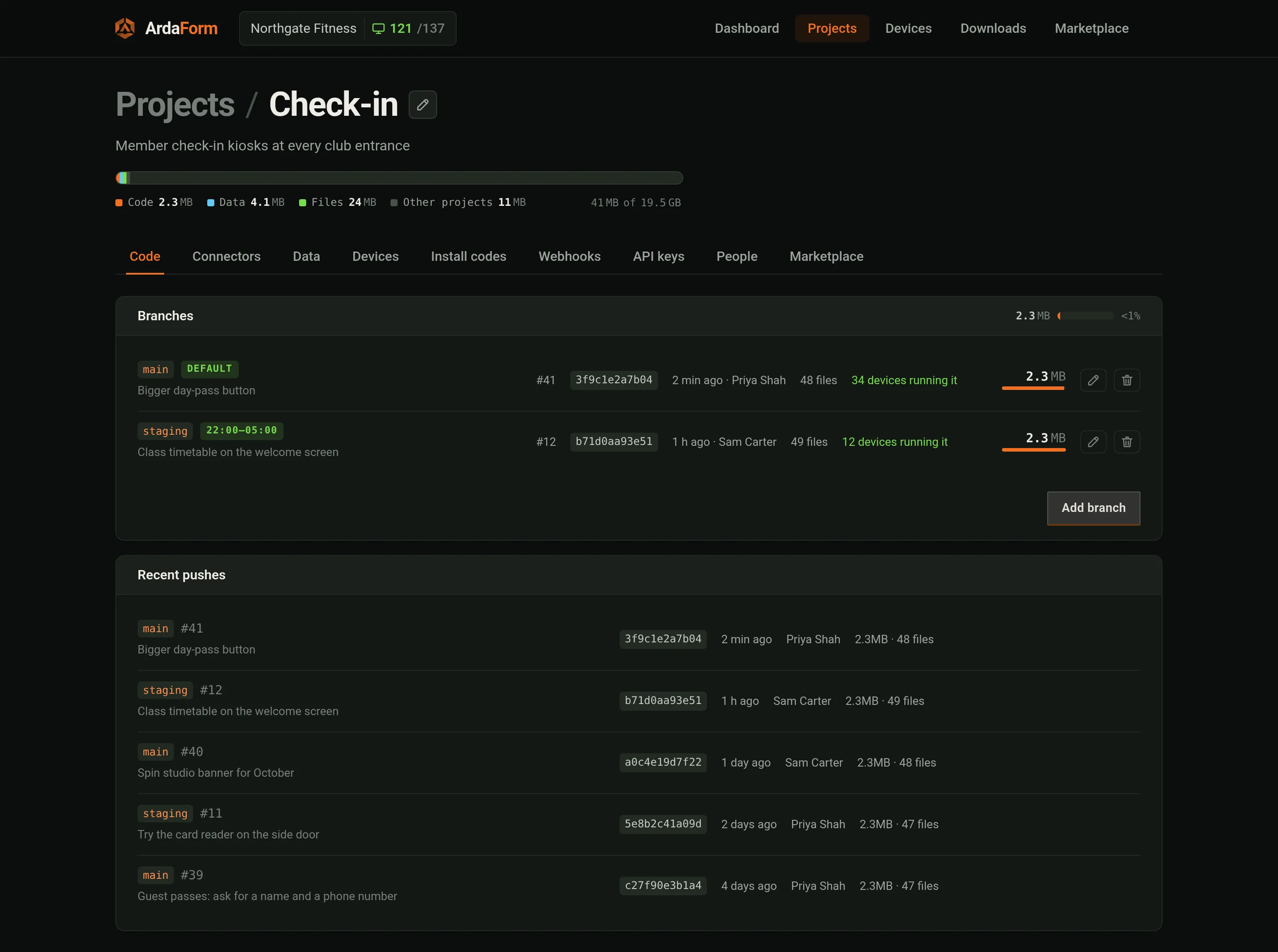
2. Every project starts with a branch called `main`, its default — new devices go on it. Add more
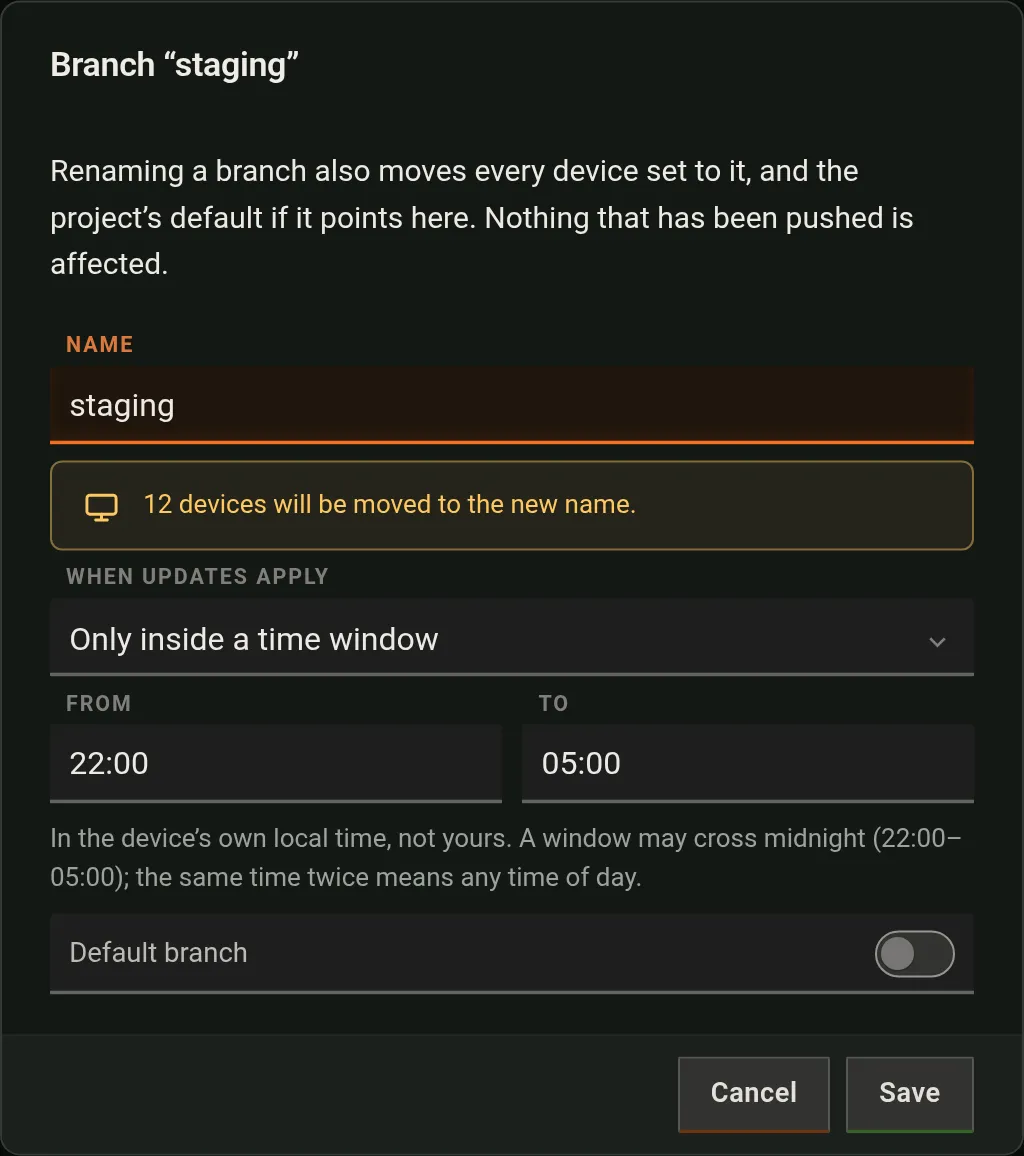
under **Code** → **Add branch**; the branch dialog's **Default branch** switch moves the default.
3. **Connectors** → **Connect GitHub** (authorise once; if the App is already installed, press
Connect anyway — the portal adopts the installation).
4. **Add connection**: project branch ← repository, folder (the directory whose `index.html` is
the app root, here `app`), GitHub branch (`main`). One connection per project branch; two
branches may read two repositories. After the first, add each connection with **+** — it
passes through GitHub and comes back to the Add connection dialog.
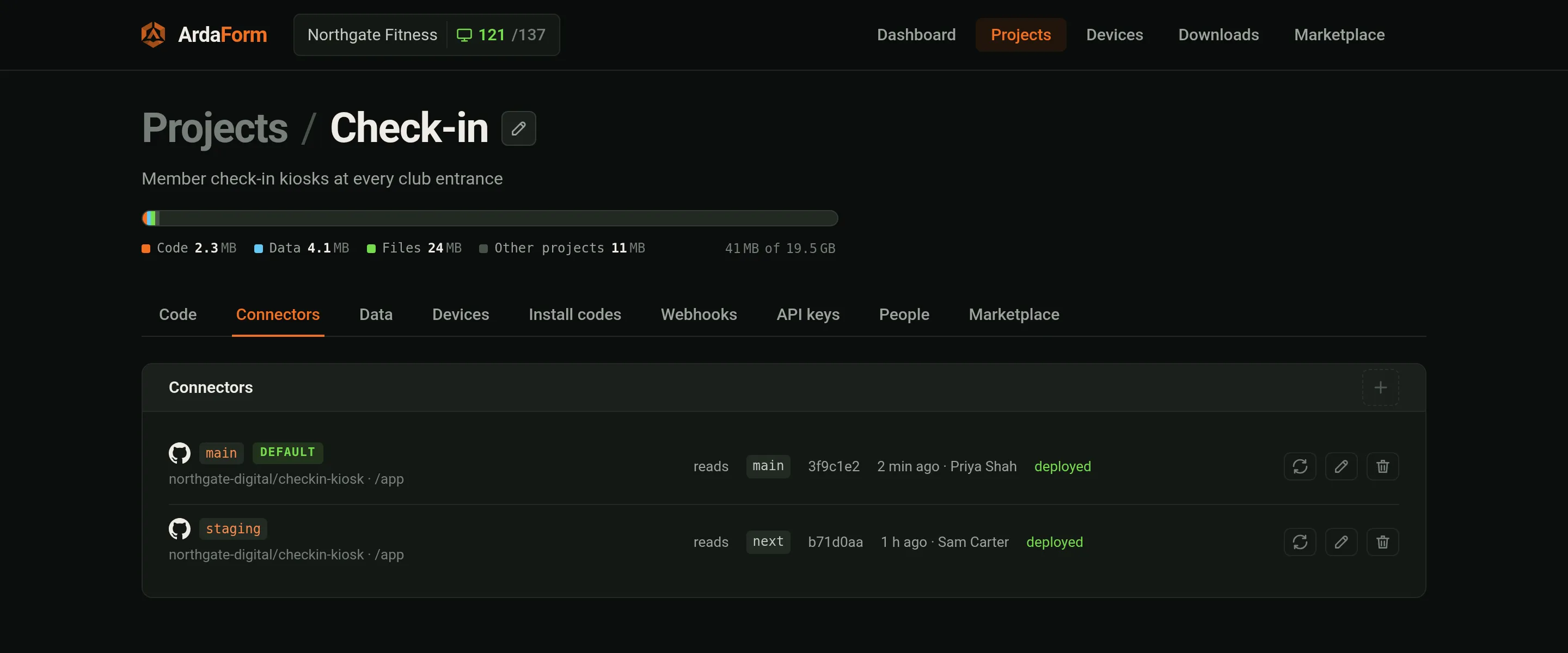
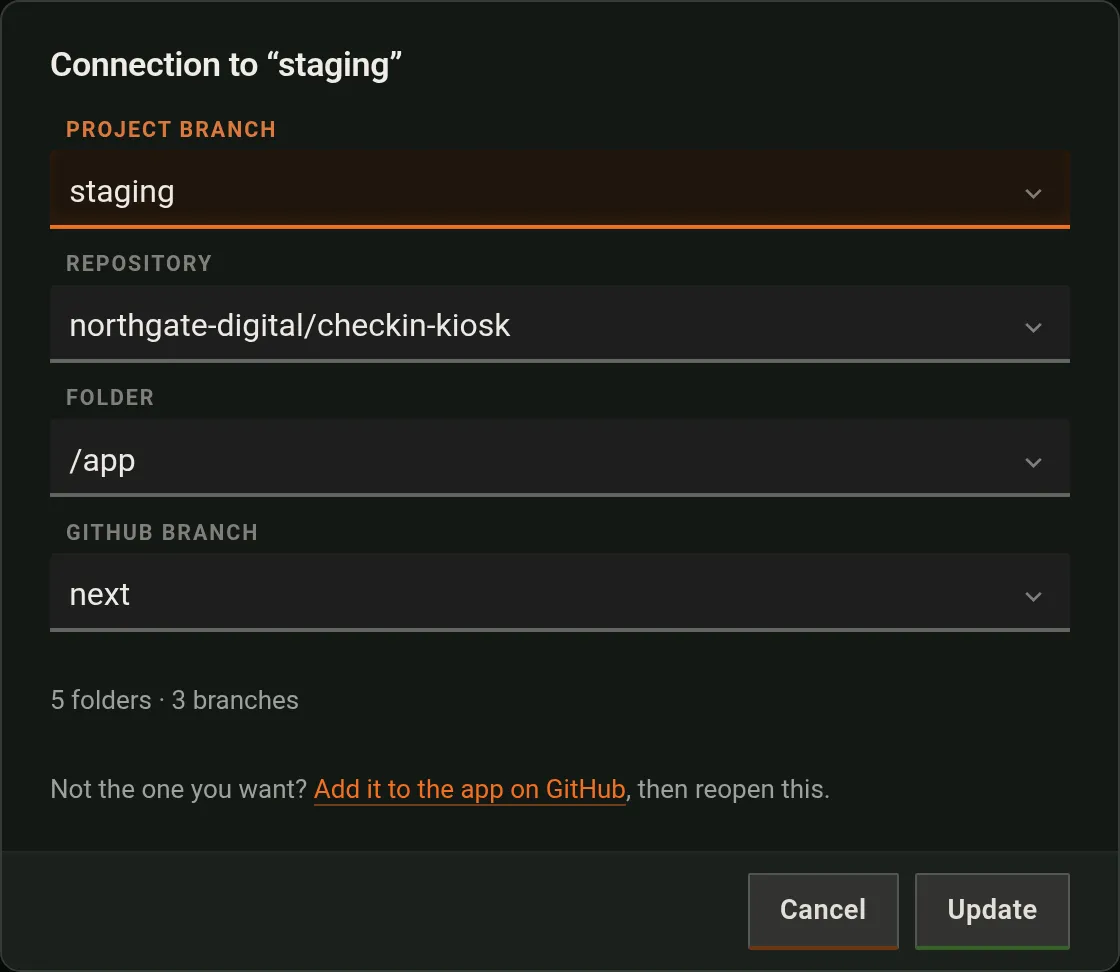
*Under the hood:* every push moves the recorded head (GitHub's webhook, or Refresh on the
connection). ArdaForm packs that commit's folder once — as soon as it is pushed, or when a device
first asks — into a sealed `.arda` (gzip tar,
AES-256-GCM; symlinks refuse the pack; dotfiles/`.env*`/`.git`/`.github`/`arda.dev.json` never
included; 4096 files / 64 MiB), reconciles the manifest's datasets and settings, and sends
each device a signed instruction carrying the sha256 and the content key.
Apply policy, per branch (Code tab → edit branch):
| Policy | Device behaviour |
|---|---|
| As soon as they arrive (`asap`, default) | stages, asks the app; silence for 5 s = applied |
| Only inside a time window (`timed`, HH:MM–HH:MM, device local time; may cross midnight) | stages; asks only inside the window |
| Only when the app asks for them (`manual`) | stages; waits for `Arda.update.apply()`; a restart does not apply it |
## 4. Make a device
**Or an Android tablet:** no image at all — on a tablet, a display with Android inside or a TV box, open https://ardaform.net/get/ardaplayer-android.apk, install it and adopt it by its code (step 5). The manual's Android page (https://ardaform.net/docs/manual/android) covers Android's warnings and kiosk mode.
Downloads page → OS images:
| Image | File | Use |
|---|---|---|
| Raspberry Pi | `ardaplayer-rpi-arm64.img.xz` | Pi 3/4, HDMI or DSI touchscreen (panel probed at boot). Write to a card; first boot grows it. |
| PC image | `ardaplayer-linux-amd64.img.xz` | Write to the machine's disk. UEFI or BIOS; first boot grows the root, mints host keys. |
| USB installer | `ardaplayer-linux-amd64-installer.img.xz` | Boot from the stick: an install app (touch/keyboard) — disk, hostname, Wi-Fi, install code. Restarts into the installed system at the end, even with the stick already out. |
```
$ xz -dc ardaplayer-rpi-arm64.img.xz | sudo dd of=/dev/sdX bs=4M status=progress conv=fsync
```
(Linux. On macOS use Raspberry Pi Imager or balenaEtcher, which take the `.img.xz` directly.)
Wi-Fi on a Pi before first boot — a file on the card's boot partition, read at every start:
```
# /boot/firmware/arda-wifi.conf
ssid=Northgate staff
psk=the-password
# hidden=1
```
Or give it Wi-Fi afterwards over Bluetooth (step 5). The USB installer's Wi-Fi step joins the
stick itself to prove the password, then writes the profile to the installed disk.
Your own SSH key: a published image carries no credentials. Put your public key(s), one per line, in
`arda-ssh.pub` on the same boot partition (the Pi's card, the PC image, or the USB stick, which
copies it to the disk it installs); the device adds them for its login user (`pi` on the Raspberry
Pi image, `arda` on the PC) at every start. SSH from the network stays closed until you open it
from the portal (step 6); keys can also be installed from there.

First boot: ArdaForm logo at ~1.3 s (initramfs; the PC image and the stick also carry it as BMP
files on the boot partition for firmware that can show a picked logo), then the player's own screens: an activation
code (unregistered), "Downloading datasets/files" with a bar (registered, syncing),
"Waiting for approval" (install code that needs approval), "Registered — waiting for this
device's application" (branch has no deployable head). No desktop, no browser, no login.
## 5. Adopt the device
| The device… | Do this |
|---|---|
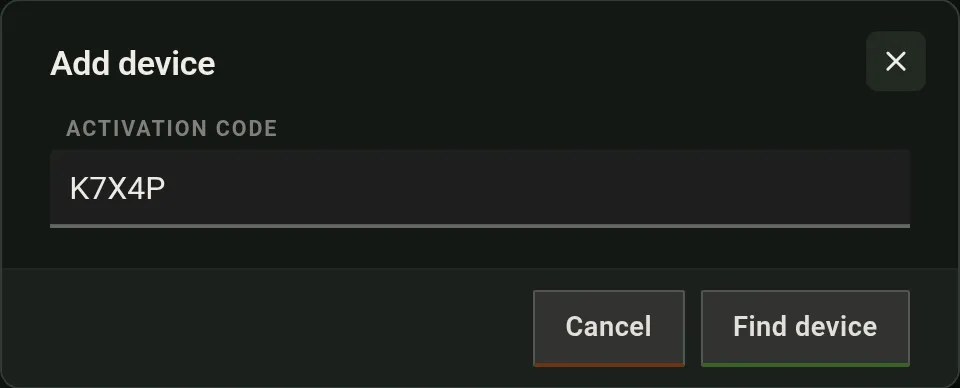
| has a screen | It shows an activation code. Devices → **Add device** → type it; set name, branch, partition (picked by name when the manifest lists them). |
| is on the same network as your browser | Devices → **Adopt** lists devices dialling in from your public address → **Adopt**. Nothing typed. |
| has no network and no screen | Devices → Adopt → Bluetooth icon (Chrome/Edge). Pick `arda-xxxx`. The device is handed the Wi-Fi of the project's active profile (Devices → Profiles), joins, reaches ArdaForm, and is adopted with one press. |
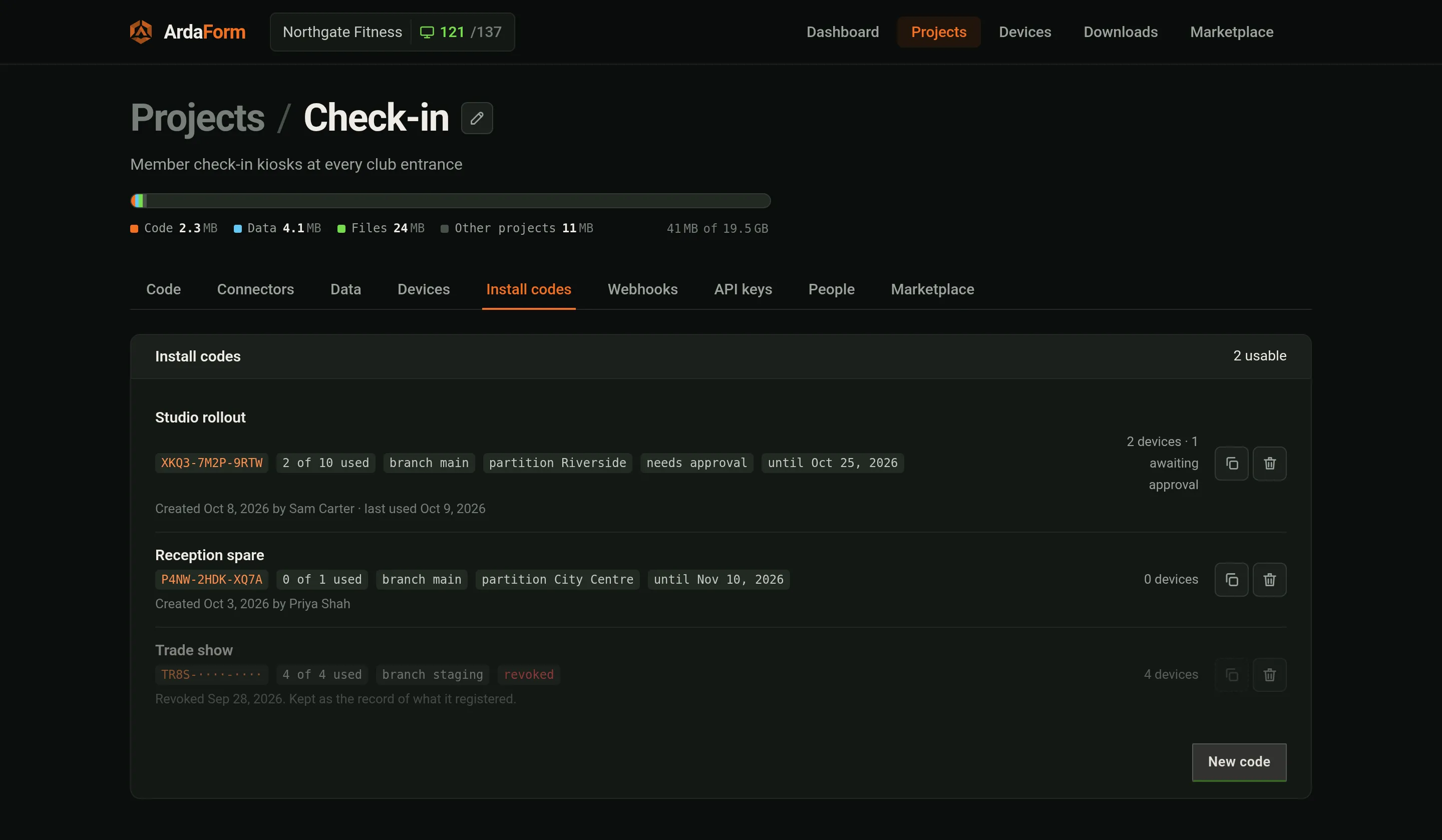
| is installed by somebody else, later | **Install codes** → New code (name, valid N days, max devices, branch, partition, needs approval). Type it on the USB installer. The device registers on first contact; locked until **Approve** if required. |



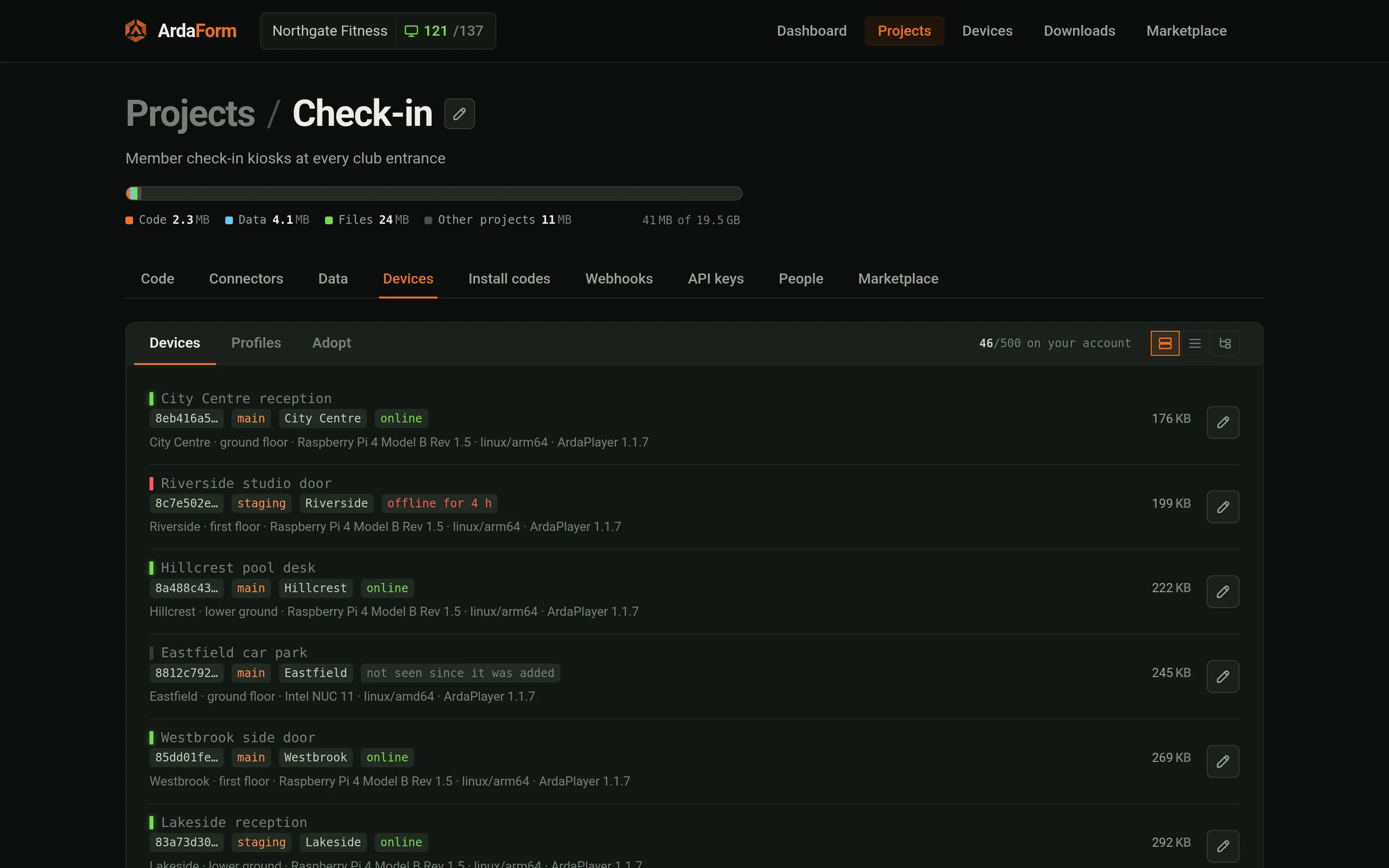
Profiles (Devices → Profiles): Wi-Fi networks kept per project. The active one is handed to a
device you adopt over Bluetooth; a running device gets another network on its Peripherals tab. Each install has a fresh Bluetooth name `arda-xxxx` and address, so a computer
that paired with an earlier card connects first time; a reflashed card is a new device.
Within half a minute of adoption (one heartbeat, 30 s) the device fetches its package, walks its datasets/files, and starts
the app when the boot set is current; the rest keeps arriving (`Arda.on('files', p)`).
## 6. Watch it run
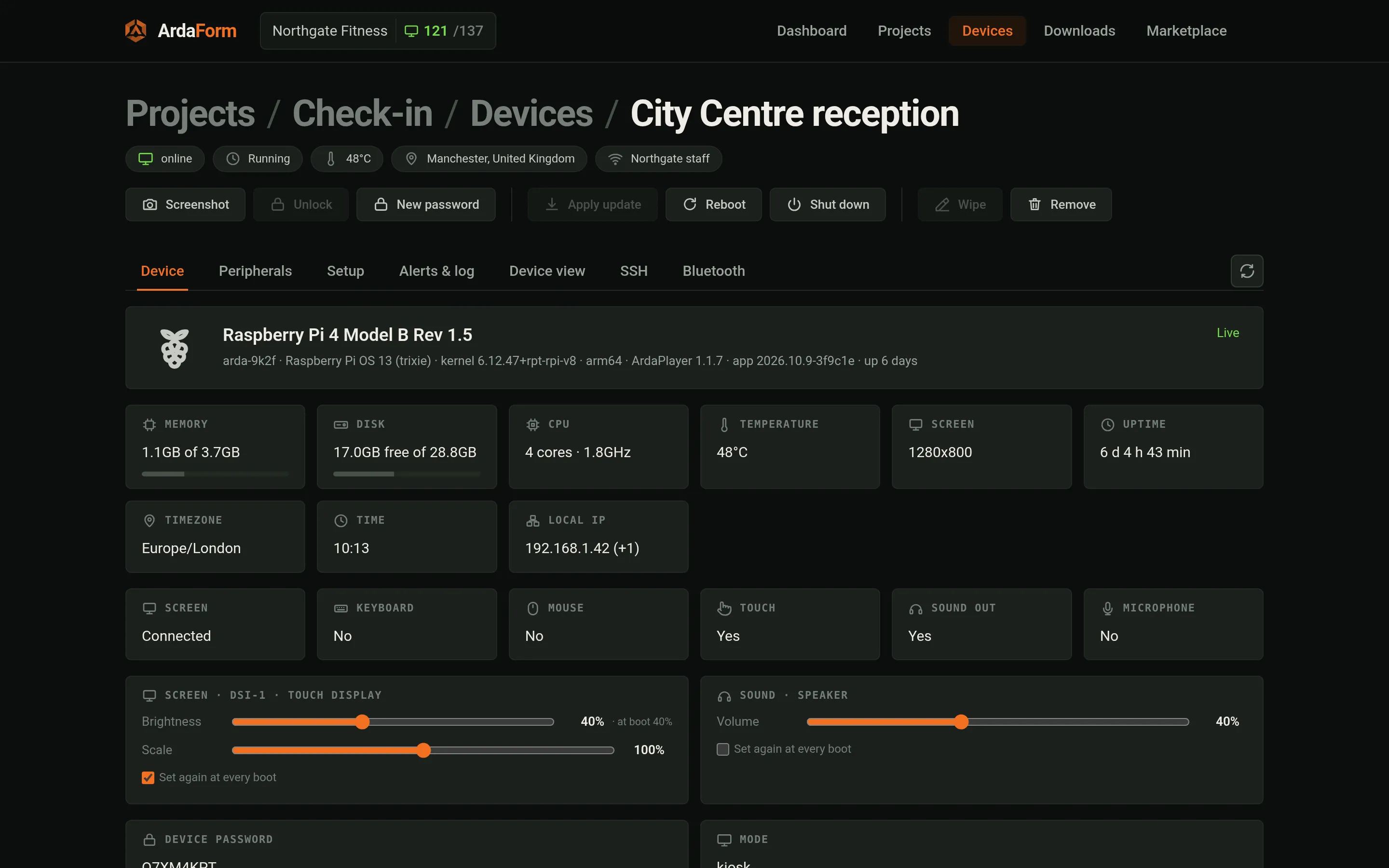
Above every tab sits the actions bar: Screenshot (lossless, every attached screen), Approve (a
device an install code held back), New password, Apply update, Reboot, Shut down, Remove (= wipe).
Device screen tabs (one global refresh):
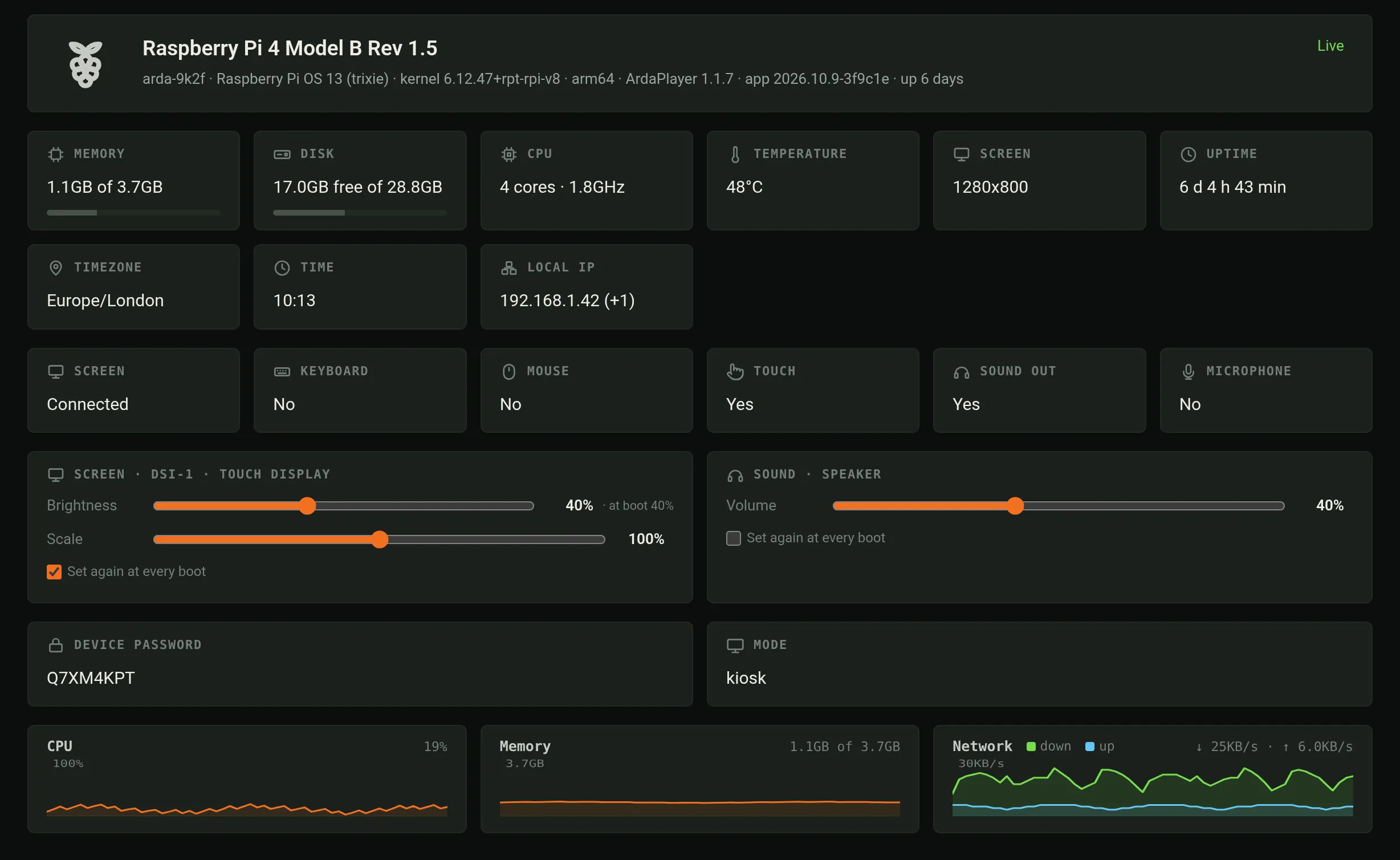
- **Device**: hostname, model, OS, local IP, player version, branch (deployed/staged), partition,
uptime, screens; brightness/contrast/volume sliders, HDMI monitors included (+ "set again at every
boot"); a scale per screen, 50–150 %; the device password.
- **Peripherals**: Wi-Fi scan/test/save/forget/order; Bluetooth; printers (detected, width
override, test prints; network printers found on the device's own network — port 9100, an
office printer may appear too — or added by address, removable; from the player release
after v1.2.4); serial probe; screens by EDID; system timezone.
- **Setup**: name, branch, partition, per-device setting overrides (in the app's own settings
page if it has one, see gui/ above). Changing branch/partition
resyncs the device ("Configuration changed — resyncing"). **Detection priority**: how soon the
portal reports the device offline when it loses power or its network — low ≈35 s, normal ≈25 s,
high ≈15 s, as the package allows. **Primary screen** (a device with two monitors): which one
the app is on — "System order" (the first connected socket) or a particular monitor, which the
app follows into any socket. Every other monitor can show a camera (`Arda.camera.show`); the
app can choose too (`Arda.screens.set(name, {primary: true})`). Moving the app restarts it on
the new screen. Needs a PC-type (x86) device installed from the v1.1.12 images or later; the
Raspberry Pi image does not have it yet, and a device that only receives the newer player
keeps one screen. From v1.1.13 `Arda.screens.list()` is already current inside an
`Arda.on('screens', …)` listener, so a monitor that comes after the app can take a camera.
A Chromebox's USB-C display is brought up by the player at start (v1.1.13).
From v1.1.14: `Arda.camera.set(name, {url, user, password})` takes the login
beside the link, never inside it. `Arda.camera.show(name, {screen, delay})`
takes `delay` in ms (0-5000; leave it out for the player to choose) and
rtmp:// sources; a Reolink rtsp:// link is played over RTMP by itself (about
a third of a second behind live). On PC-type devices the second monitor is
drawn entirely by the graphics chip (smooth 30 fps full-quality streams, a
tenth of the processor, no periodic freeze). `Arda.camera.onvif({address,
user, password})` returns a camera's details and its streams (each profile's
`rtsp` and `snapshot`); `Arda.camera.discover()` lists ONVIF cameras on the
network. `shows()` entries also carry `delay`, `auto`, `draw`
(gpu/direct/cpu) and `via` ('rtmp').
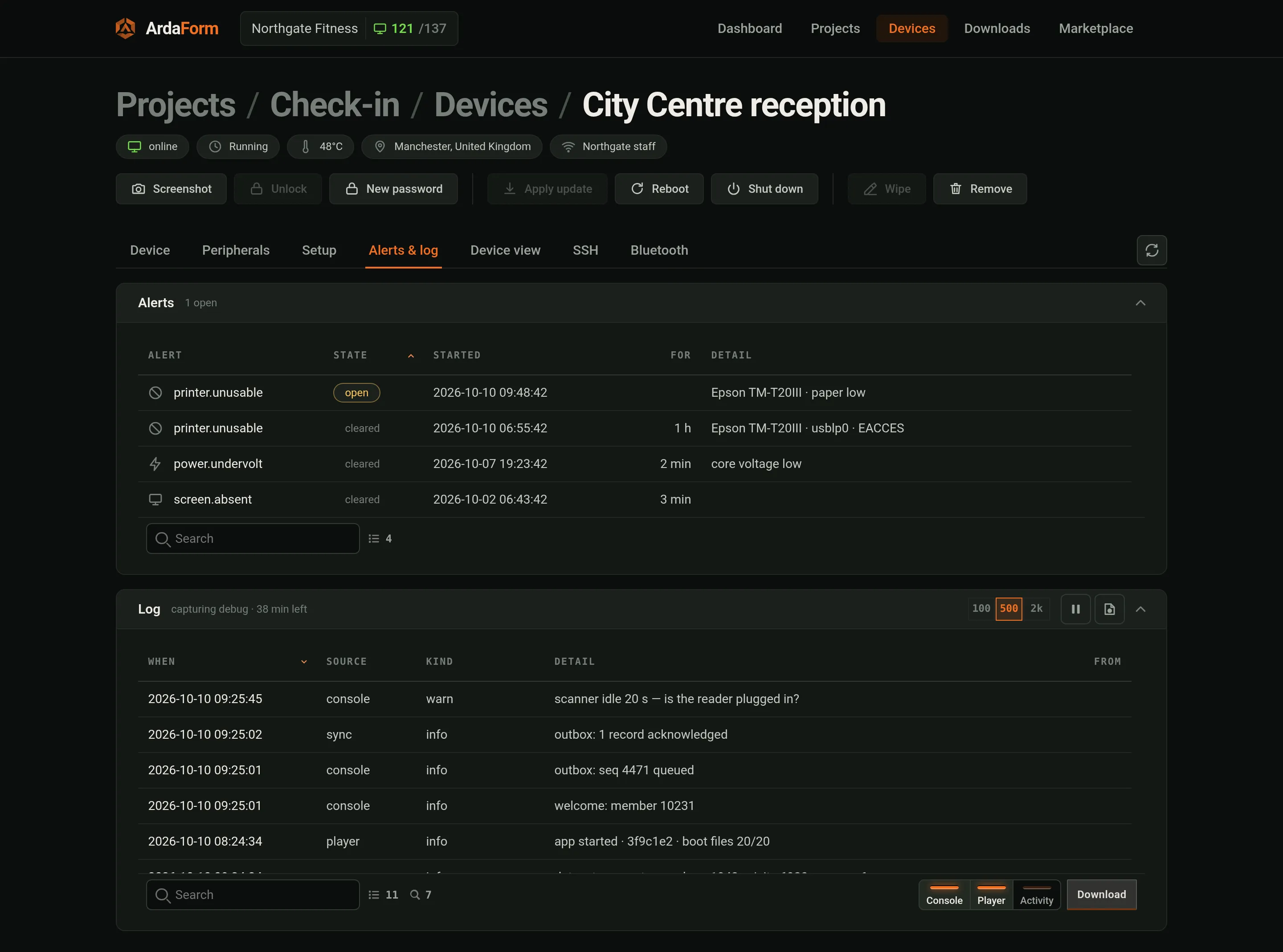
- **Alerts & log**: alerts the device raised; log capture on demand with a look-back ring
(the last few hundred lines that already happened arrive first); switches itself off.
- **Device view**: a picture of the screen, on demand or every 5/10/30 s; live console; evaluate an
expression in the page; page source; "Pretend a screen" for a headless HDMI device.
- **SSH**: a root shell over the device's outbound connection. The plane names a target
(`ssh`, `view`, `shell`) from the device's allow-list, never a host:port. **External SSH**
(port 22 from the shop's network) is closed on every device behind its firewall until opened
here — 30 min, 5 h, until closed, or while this screen is open; the device closes it on time,
and an open door offers Extend or Close now. The user icon installs a user + public key (user
created if missing, with no password and no sudo: it can watch the app in the device view and
read the logs), expiring after 1 day, 1 month or never. Passwordless sudo is a tick, only with
an expiry, and then every key of that user expires with it. Keys only, no root login.
- **Bluetooth**: reach this device over Bluetooth when it has dropped off the network — the
networks it hears, the one it is on, and a join form whose password is encrypted to the device.


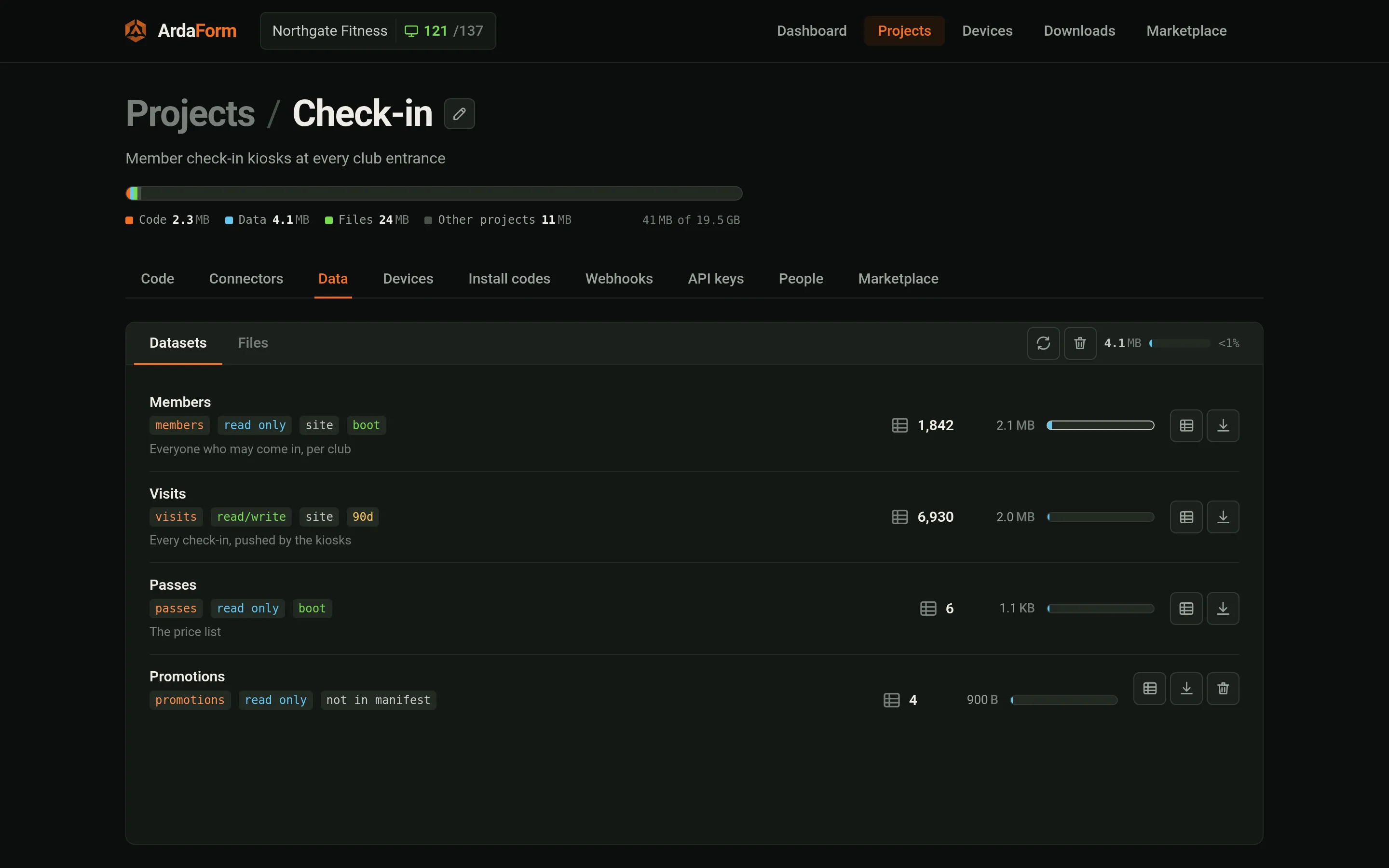
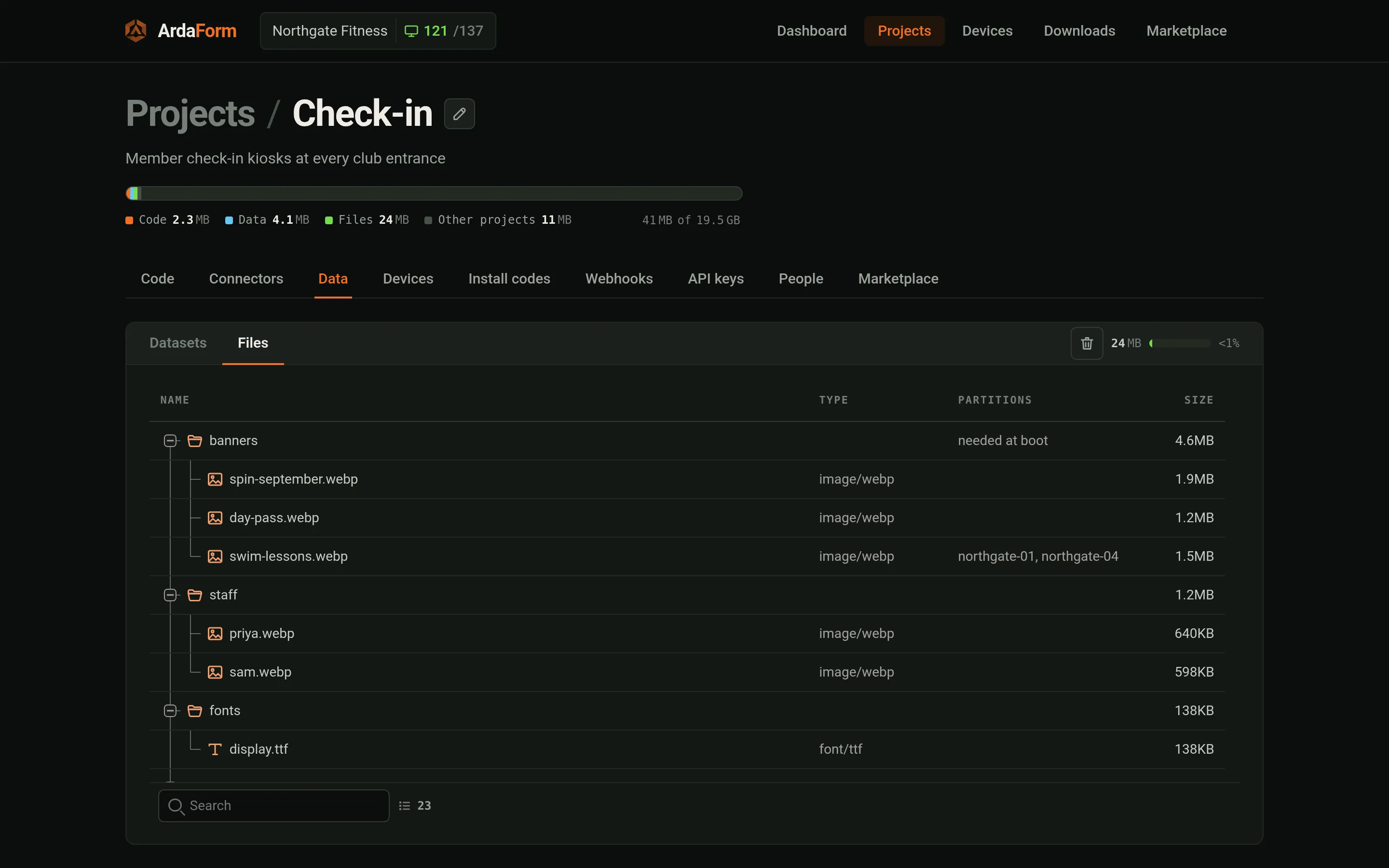
Data (project → Data): datasets from the manifest (records, access, partition field, boot pill),
ones the manifest no longer names (kept until deleted), files tree (folders needed at boot). Records arrive from devices (`Arda.db.push`), the portal, or the HTTP API
(`https://api.ardaform.net/v1`, key from the API keys tab, spec at `/v1/openapi.json`).
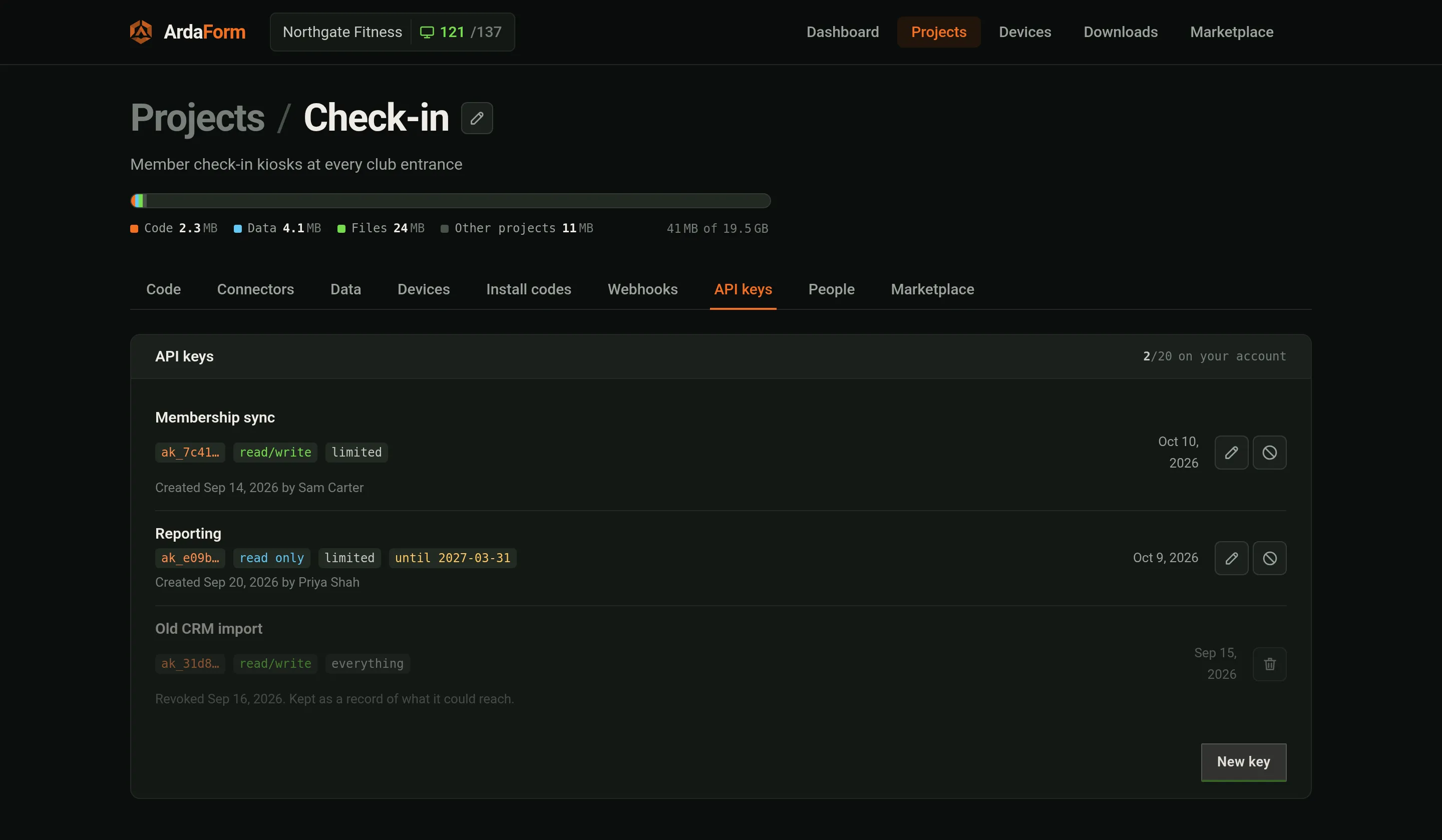
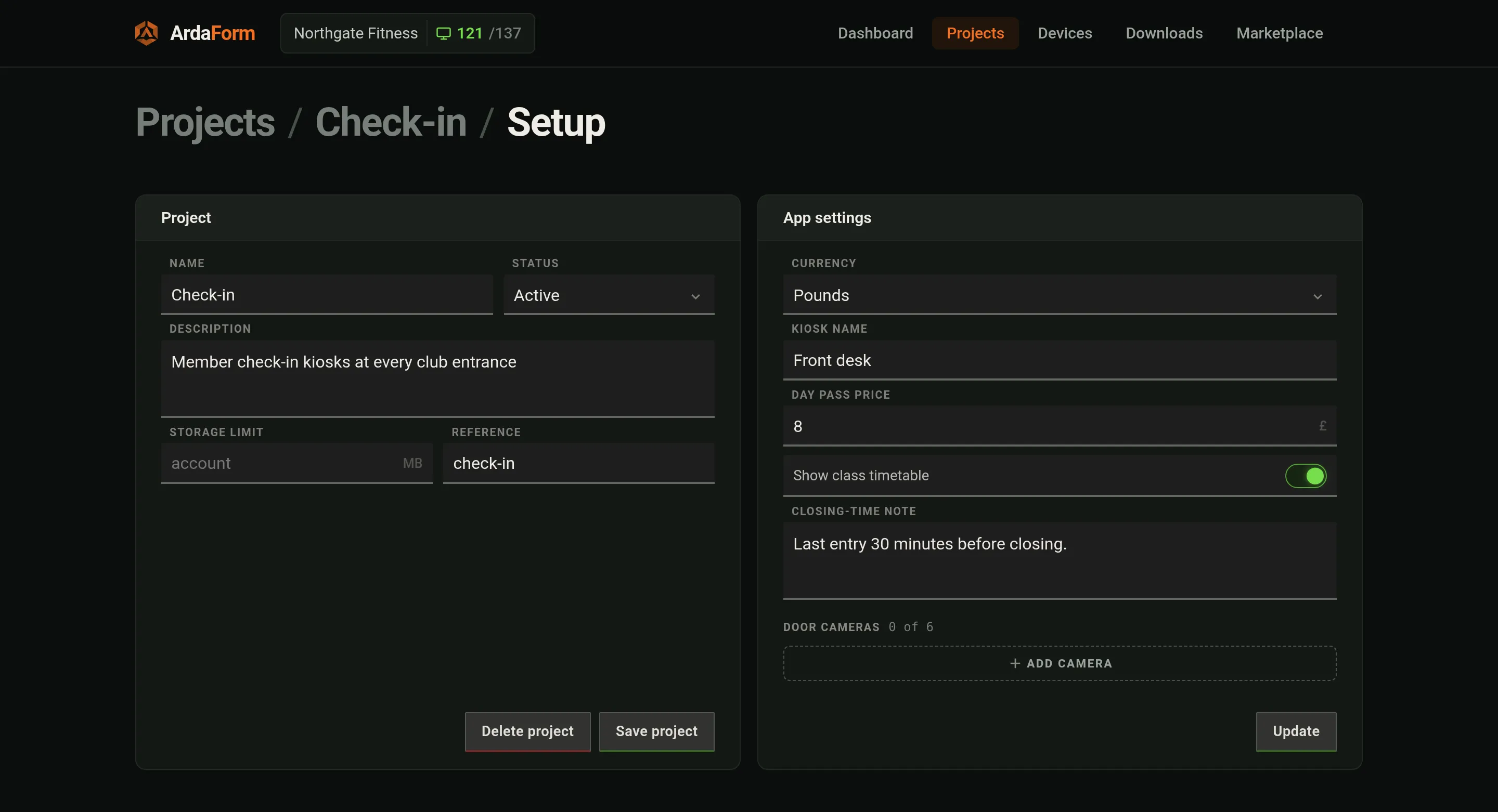
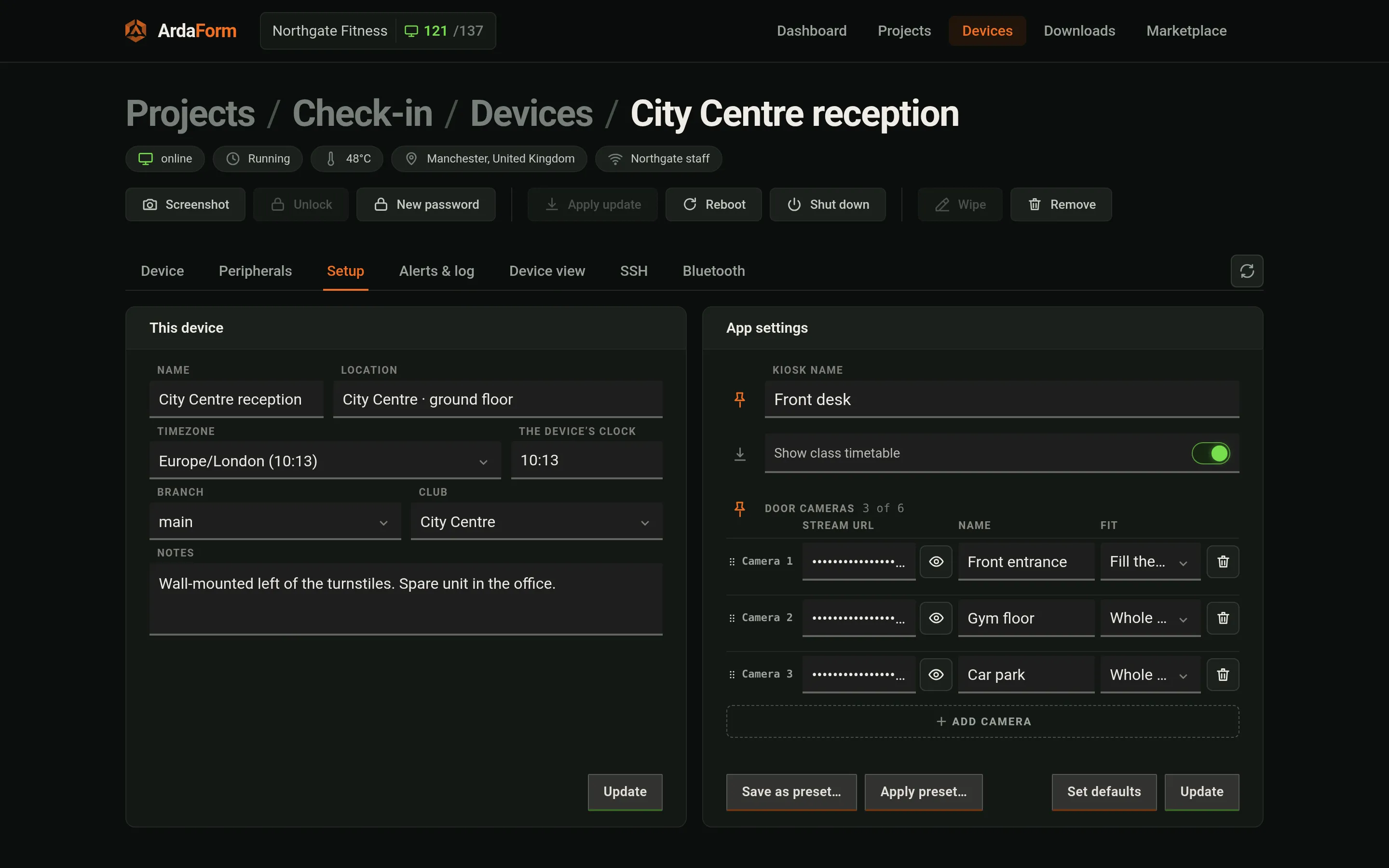
Settings: fields from the manifest, values per project with per-device overrides; a saved change
reaches a running device in about three seconds as `Arda.config` (`Arda.on('config')` when values
change). A device's own settings can be saved as a named preset and applied to another device.
An app with a settings page of its own (gui/, step 1) shows that page in place of the standard
form, which stays one click away.
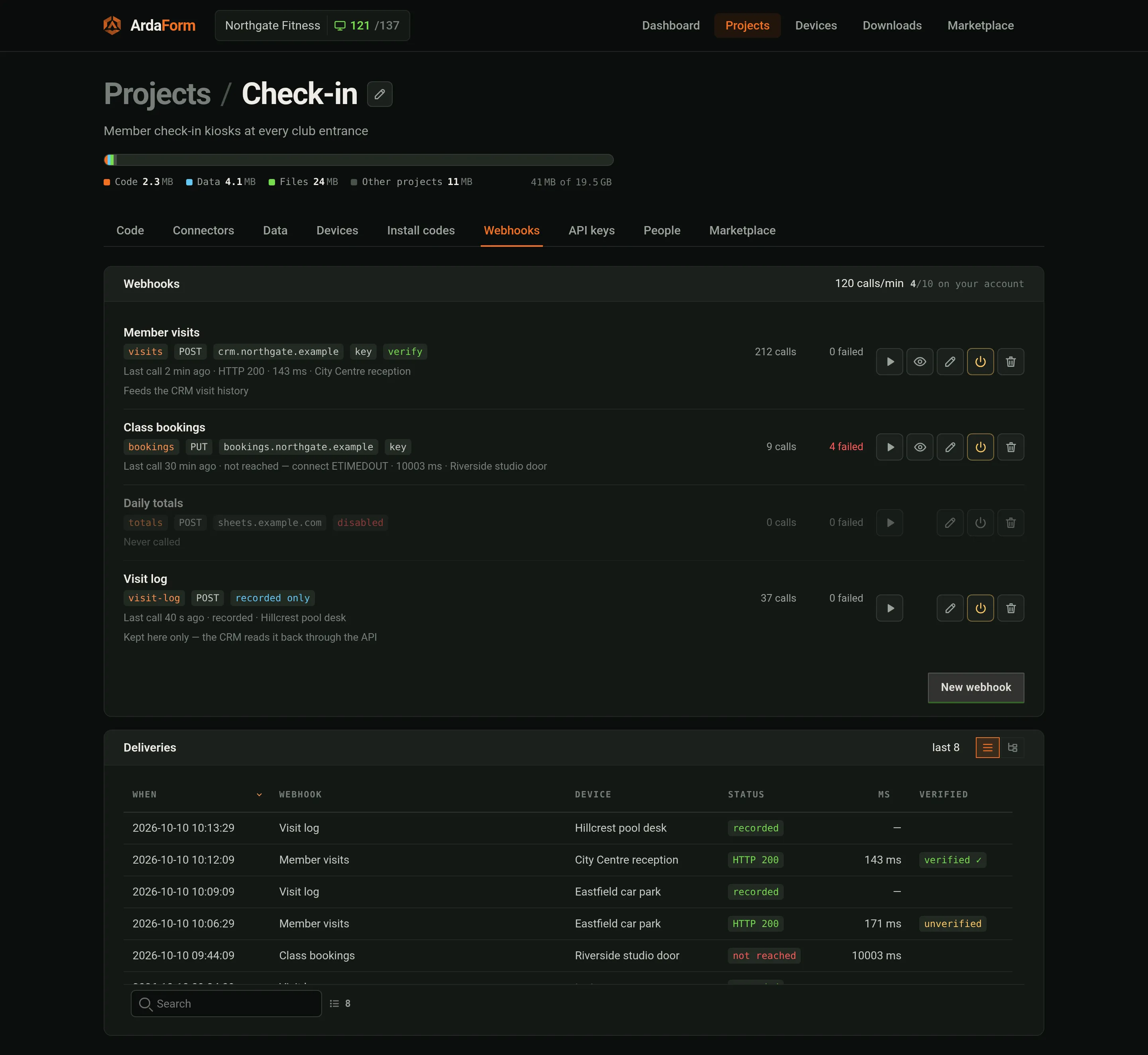
Webhooks (project → **Webhooks**, or `/v1/webhooks` in the HTTP API): endpoints of yours the app
may call — name, slug, URL, method (POST/GET/PUT), optional key, Verify, enabled. ArdaForm makes
the call from its own servers (the key never reaches a device; one source address to allow-list)
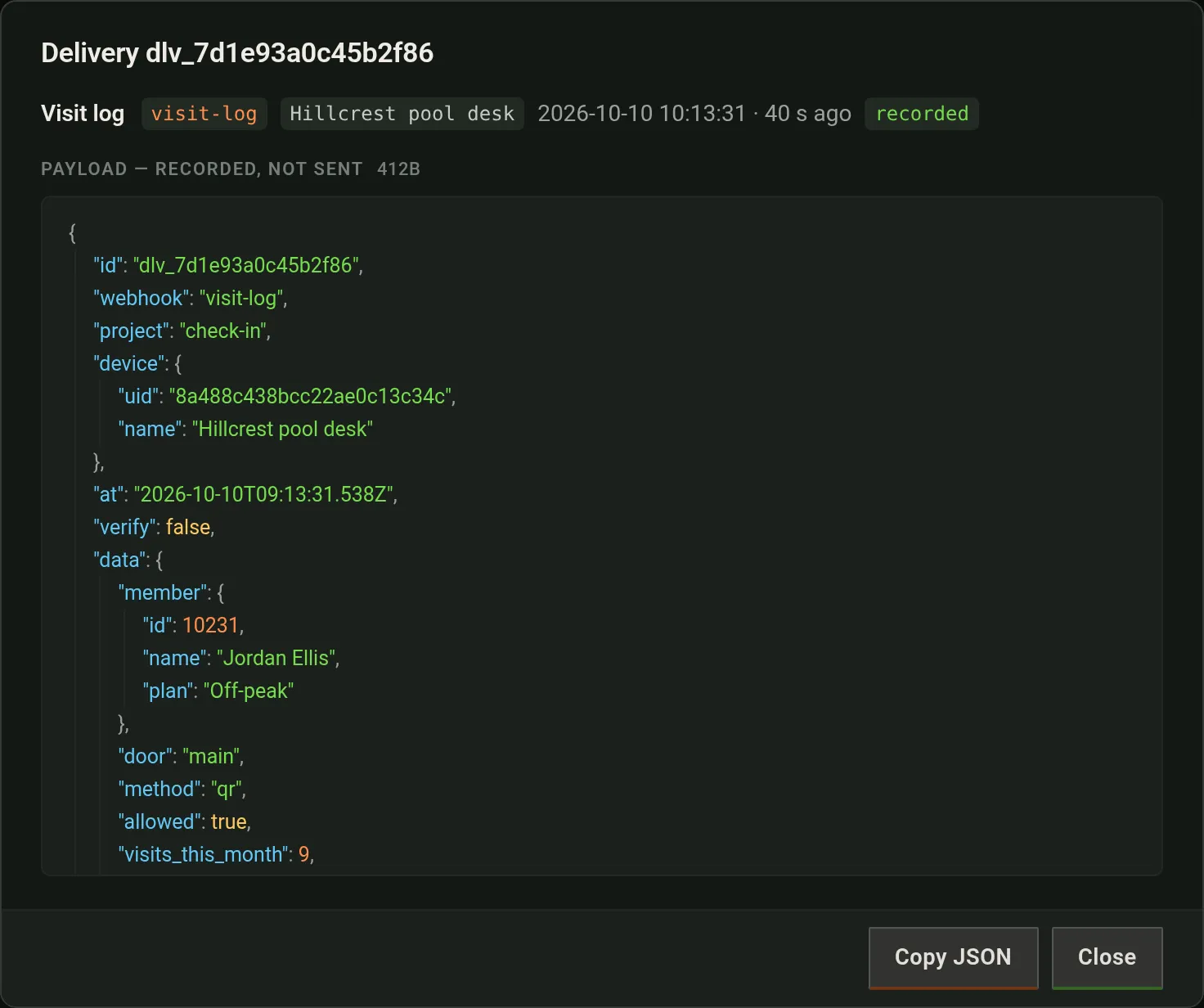
and logs every delivery with status, time and device. Leave the URL empty and nothing is sent: the
calls are only recorded (the app gets `ok: true`, status 202), each one opens in Deliveries as its
JSON, and your own systems can read them back through `/v1/webhooks/{slug}/deliveries`.
```js
// Resolves {id, ok, status, ms, body, error}. ok is a 2xx; a 4xx or 5xx is an answer.
// It rejects only when nobody was asked: offline, unknown or disabled webhook, the limit.
Arda.webhook.call('visits', { member: m.id, kiosk: Arda.config.kiosk_name })
.then(function (r) { if (!r.ok) console.warn('CRM answered', r.status) })
.catch(function (e) { console.warn(e.message) })
```
If you write the server at the other end: it receives JSON `{id, webhook, project, device: {uid, name}, at, verify, data}`
(a GET webhook gets the same fields as query parameters, `device` as its uid and `data` JSON-encoded) with
`X-Arda-Delivery`, `X-Arda-Webhook`, `X-Arda-Project`, `X-Arda-Timestamp`; with a key also
`Authorization: Bearer ` and `X-Arda-Signature: sha256=`; with Verify a one-time `X-Arda-Verify` token to confirm with `POST /v1/webhooks/verify`.
10 s timeout, no redirects, private addresses refused, first 4 KiB of the answer back, `data` up to
64 KiB. Whether webhooks are included, how many an account may define and calls per minute come
with the package. On your desk, the `webhooks` list in arda.dev.json stands in for them.
## 7. Update it
Push. Then: head moves → packed once, a signed instruction per device (offline devices get it on
return) → fetched, sha-verified, opened to prove it, staged beside the running app with a READY
marker last → `updateStart` fires: silence = applied in 5 s; `pause()` = 60 s, up to 5 rounds;
`apply()` = now; after 5 rounds it stays staged until the next restart or an operator's
**Apply update** → devices in one shop apply within tens of milliseconds of each other.
`Arda.on('update')` fires when merely staged (a banner); `Arda.update.pending()` reports the round.
Going back: point the connection at an older ref or push a revert — an update like any other.
The player updates itself: a signed instruction names the build for the device's OS/arch with
its sha256; the device downloads it, runs it once (`-version`) to prove it starts, arms it for
the next restart; if the new build cannot stay up 90 s three starts in a row, the previous
binary is put back automatically. A release marked important goes through the same 5-second
negotiation with the app instead of waiting for a restart. No polling anywhere.
## 8. Retire it
- **Remove** (device screen): a wipe. The device acks, flushes its outbox for up to 30 s, erases
identity/app/data, restarts fresh showing a code. Row stays "decommissioned". A device that is
off takes the wipe whenever it next connects (it waits a year); so does a stolen one.
- `ardaplayer -unbind` at the device: asks for the device password (8 chars, shown on the
Device tab, reissued with New password; the device holds only a PBKDF2 hash). The plane forgets
first, the device erases second; safe to repeat. Row fades as a ghost over 7 days.
- **Forget completely**: delete the row (with its alerts, log and settings) for a device that is
gone — a reflashed card, retired hardware. The wipe is not deleted with it: ArdaForm keeps it
apart from the row for a year, so that card, if it is ever switched on again, is wiped the
moment it connects (within a minute if it is connected now) and shows a new code. A device
with a wipe already waiting offers **Delete anyway** instead, with the same guarantee.
- **Deleting the project** does the same for every device in it: each stops fetching code and
files at once, is wiped the next time it connects, and has to be claimed again in person from
the code on its screen. A removed device no longer goes on running what it had.
## When something looks wrong
| You see | It usually means |
|---|---|
| "Registered — waiting for this device's application" | The branch has no connection, or the folder has no index.html. Check Connectors, then Code. |
| "Waiting for approval" | Install code needs approval → Approve on the device screen. |
| App runs, lists empty | Partition matches no records, or a boot dataset still walking. `Arda.db.status()` in Device view. |
| "The device service is not answering" | The device is restarting (update/reboot/timezone). Try again; the log says why it left. |
| No picture in Device view on a headless Pi | Nothing on HDMI. "Pretend a screen" gives 1024×768 until a screen is attached. |
| Pack fails with a manifest fault | The portal refuses unknown keys/bad values at pack time and lists every fault. |
| Bluetooth "connection failed" on a reflashed card | A card from an older image kept the board's address and your computer remembers it; forget the `arda-…` device in the OS once. Current images give every install a fresh address. |
| `ssh` to the device times out | External SSH is closed on every device by design. Open it from the device's SSH tab; it closes itself when the time runs out. |
| "Recovery — the device was not shut down properly" | Last run ended in a power cut/kill. Stores are intact; informational. |
## Quick reference
```
app folder myapp/app/index.html (+assets), myapp/app/manifest.json
dev file myapp/arda.dev.json beside app/ — never packed; keys: window scale bg console watch can screens device settings partition devices webhooks
settings page myapp/gui/settings/index.html beside app/ — never sent to a device; portal Setup › App settings + a device's Setup tab; paid plans