Arda
ArdaQuickstart
An empty folder to an app running on your desk, then registered as a device and deployed from GitHub. Fifteen minutes.
Read →Working
Everything you need to build an app, put it on a device and look after it once it is out there. If you can build a basic web page, you can do this — start with the one-minute intro below, then the quickstart. The deeper pages are here for when you want them, not before.
ArdaForm in one minute: your app is a web page, and ArdaForm turns it into a device you can look after from anywhere.
index.html at the top. Run it on your own computer with ardaplayer -dev.An empty folder to an app running on your desk, then registered as a device and deployed from GitHub. Fifteen minutes.
The pieces — the player, the portal, the images — and how a push on your desk ends up running on a device in a shop.
The full reference for building an app, one page per area, each with small complete examples — from the app folder and the manifest to cameras, printers and the update negotiation, and the order to do things in. Start with the quickstart; come here for the detail.
The whole path on one page, in the order you will walk it, with every portal screen beside the step it belongs to.
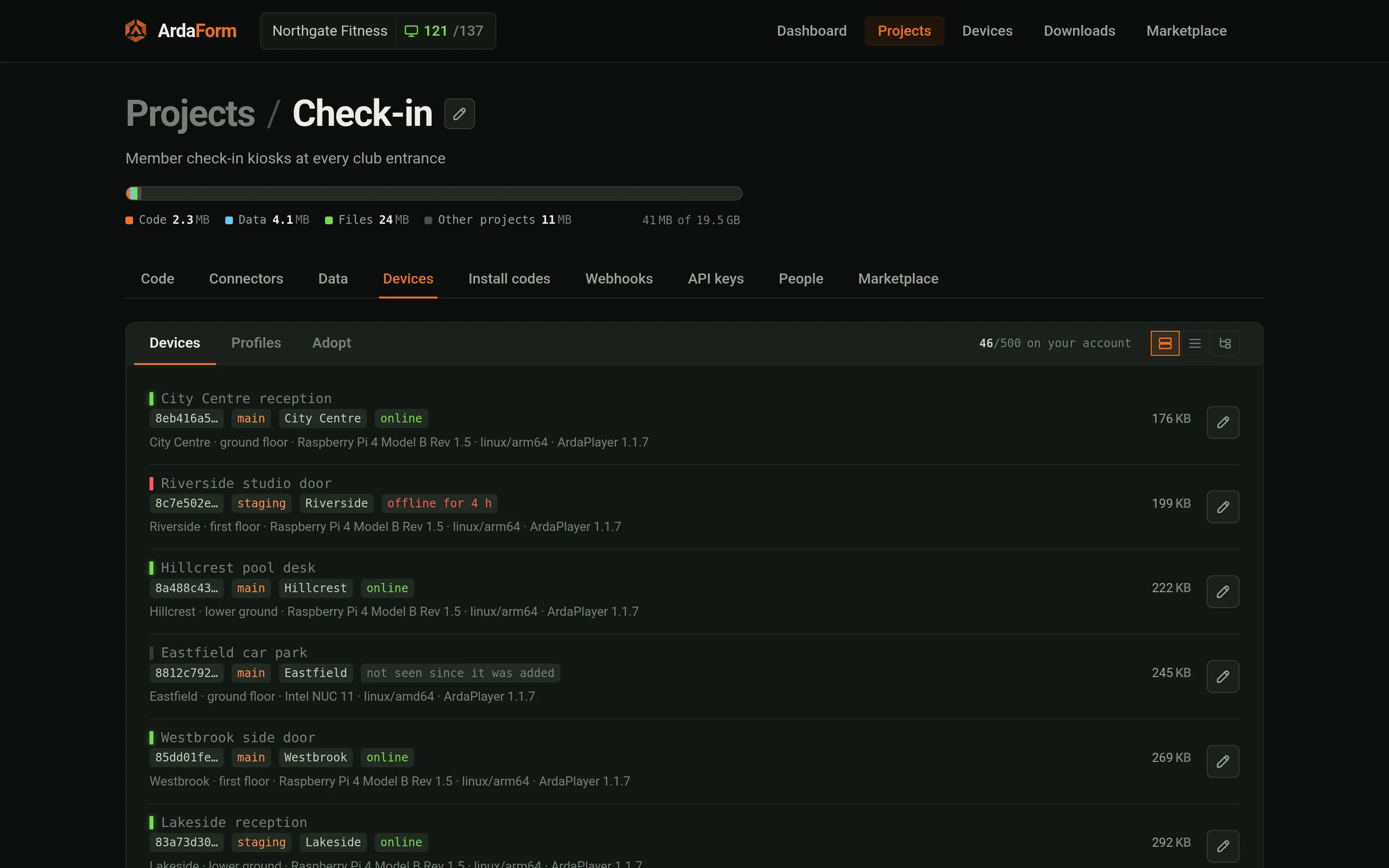
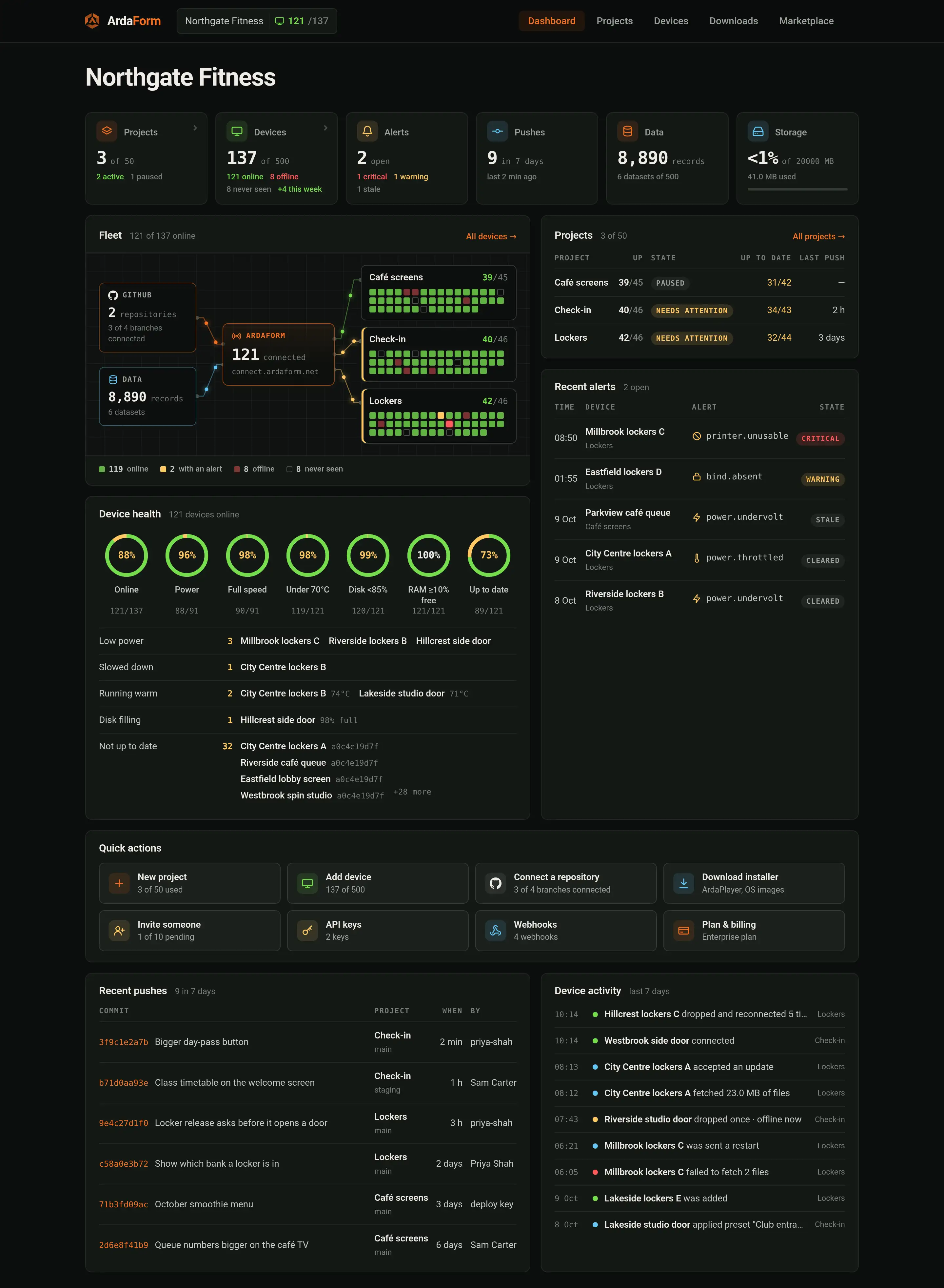
Every screen of the portal with real screenshots, and what you can do on each — from the dashboard down to one device's log.
Two different APIs, for two different places.
For your own servers and scripts: put records and files into a project, read back what your devices recorded, manage webhooks, and read or set the app's settings. Every endpoint, with real examples. Keys come from the portal.
For the app on the device: the window.Arda object — settings, datasets, files, the on-screen keyboard, screens, audio, cameras, printers, serial, updates and webhooks.
Every ardaplayer flag, the keys of arda.dev.json, the folder layout and where each build runs.
What a .arda container holds, who packs it, how the key reaches a device and the order the runtime checks it in.
What the design defends against, what it explicitly does not claim, and how identity, sealing and the outbound-only transport fit together.
How a device talks to ArdaForm: the outbound connection, the handshake and keys, joining by code, signed instructions, downloads and versioning.
These terms appear throughout the documentation and the portal. You don't need all of them to start — come back here when one turns up.
| Term | Meaning |
|---|---|
| Tenant | Your organisation in the portal. It owns projects, people and API keys. |
| Project | One application and everything around it: branches, datasets, files, settings, devices, install codes, webhooks and API keys. The portal's project screen has a tab for each. |
| Branch | A deployable line of the project. A branch reads one git ref through a Connector and carries an apply policy (as soon as updates arrive, inside a time window, or only when the app asks). A device follows exactly one branch. |
| Application | Your folder: app/index.html and every asset beside it, plus an optional app/manifest.json declaring datasets, settings and the files the app waits for at boot. |
| Package | The sealed .arda container ArdaForm packs from a commit when it deploys. You never build one yourself. |
| Device | One enrolled installation. Its identity is a keypair generated on the device at first start; it belongs to a project, follows a branch and receives one data partition. |
| Partition | Which slice of a partitioned dataset a device receives — a branch id, a till number, a site. Set per device in the portal, from a list of named choices if the manifest gives one; changing it makes the device resync. |
| Dataset | A named collection of records the plane holds and the device mirrors, encrypted, on its own disk. Declared in the manifest, read with Arda.db.dataset(). |
| Outbox | The device's only write path up: records queued with Arda.db.push(), kept through restarts and delivered at least once when a session exists. |
| Files | A project's file library, synced to each device and served to the app under /storage/. |
| Settings | Fields the manifest declares and operators fill in the portal, per project with per-device overrides. The app reads them as Arda.config; a saved change reaches a running device in about three seconds. |
| Webhook | An endpoint on one of your own servers, defined per project on the portal's Webhooks tab or through the HTTP API. The app calls it by name with Arda.webhook.call(); ArdaForm makes the request (signed when the webhook has a key) and logs it. |
ArdaForm is under active development and this site is kept to what is deployed. Every capability carries one of three labels so you always know what you are looking at.
ardaplayer is downloaded from the portal; once you have it, developer mode on your own computer needs no network and nothing registered.
Anywhere Arda appears, it is the global object the runtime injects into your page before your first script runs — you never import it. Most of its methods return promises; Arda.config and Arda.headless are plain values so they can be read on the first line. Shell samples use $ for a workstation prompt.
Error handling is omitted from most samples for brevity. In real applications every hardware call can fail — a printer runs out of paper, a serial adapter is unplugged, a Wi-Fi password is wrong — and each rejection carries a sentence you can show to the person in front of the device.